31 days · 116 commits
January 2026
- Day 276 · 1 commit
- Modulation
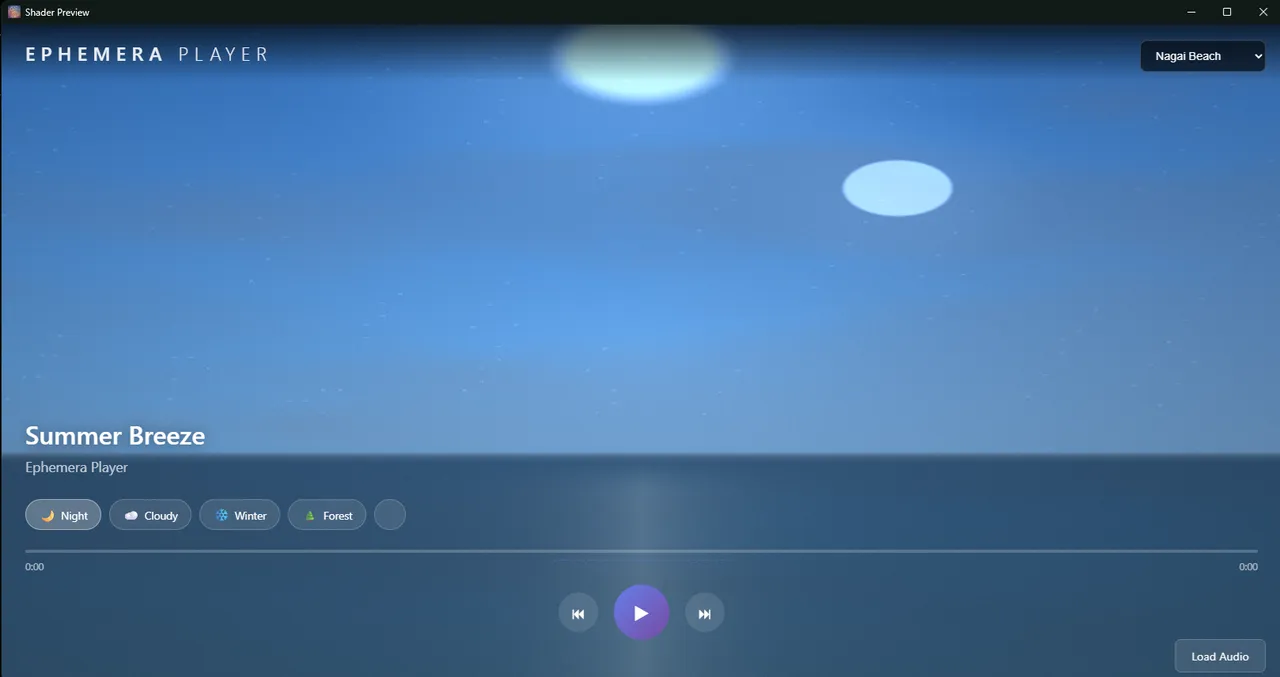
- ae16caaCreated a modular shader architecture for Ephemera Player to support scalable shader development. Added ShaderModuleLoader.js with dependency resolution and topological sorting for composing GLSL code from reusable modules. Extracted 6 modules from the monolithic Nagai shader: sky/gradient, sky/celestial, weather/clouds, water/ocean, terrain/mountains, and atmosphere/haze.Built a new Mountain Vista scene shader demonstrating the composition pattern - achieving the same visual complexity in ~300 lines instead of 3,482 by reusing modules. Documented the architecture in SHADER_ARCHITECTURE_PLAN.md with track mapping specifications and developer guidelines for adding future shaders.
- Day 277 · 3 commits
- Audio engine
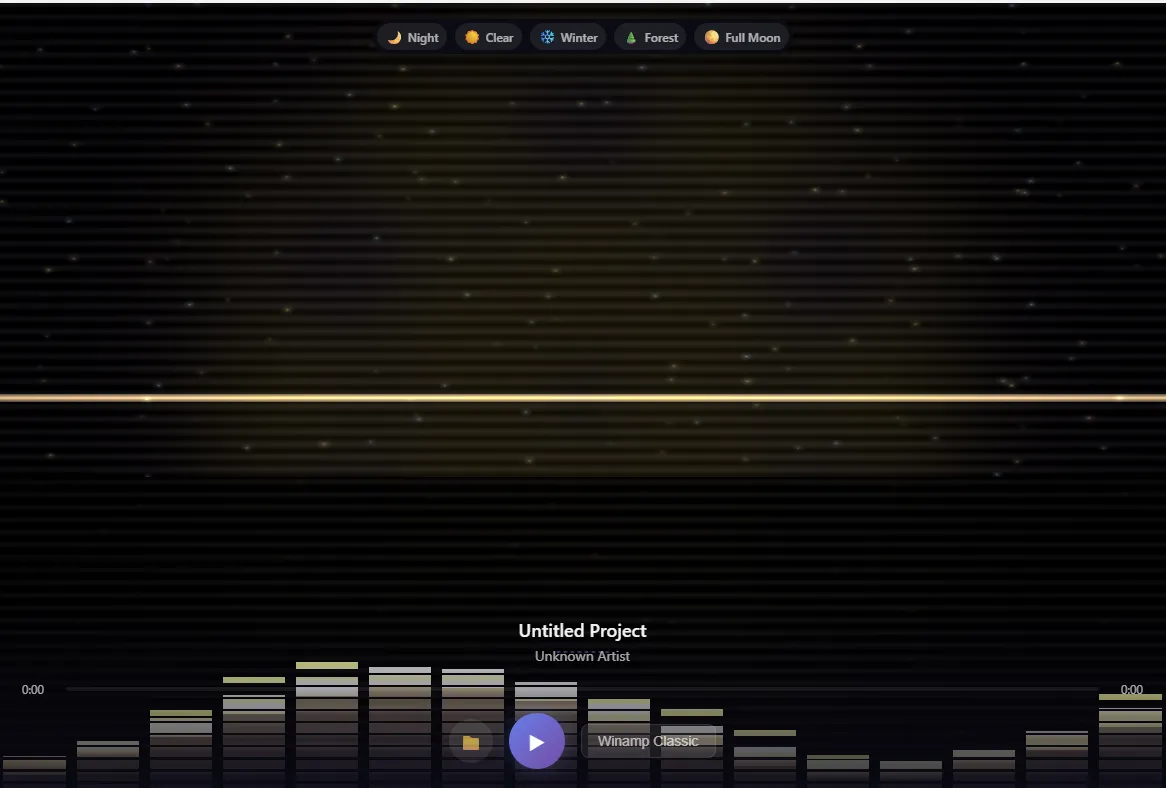
- 06bd088This commit implements the full Visual Module Composer v2 with three major phases: live WebGL preview, persistence system, and module forking capabilities. Phase 1 added PreviewRenderer.js with real-time audio-reactive shader preview and restructured the layout using CSS Grid for a 3-column design (Library | Preview | Layers). Phase 2 introduced CompositionManager.js for localStorage persistence, CompositionExporter.js for file import/export with validation, and replaced basic browser dialogs with proper modal interfaces including auto-save functionality. Phase 3 completed the user customization workflow with UserModuleRegistry.js for forked module management, ParameterEditor.js for no-code parameter editing with auto-detected input types, and ModuleForkPanel.js providing a 3-step wizard for creating personalized shader variations. The composer now enables users to build, preview, save, share, and customize shader compositions without writing any code.
- Modulation
- 3942825This commit introduces a comprehensive Visual Module Composer system that enables non-programmers to create custom shader scenes through an intuitive drag-and-drop interface. The composer features a categorized module library (sky, terrain, water, weather, atmosphere) with searchable cards that can be dragged into a layer stack, where users can adjust per-layer opacity, blend modes, and visibility. The technical foundation includes a GLSLValidator for catching GLSL errors at registration time, a ShaderErrorBoundary that provides graceful degradation with fallback shaders when compilation fails, and a FeatureRegistryGenerator that auto-generates the feature registry from @keywords metadata comments in GLSL modules. The ShaderModuleLoader was extended with validation hooks and new methods for generating composed GLSL code from layer configurations with proper dependency resolution. Users can access the composer via Ctrl+M, build custom scenes by stacking modules, preview in real-time, and apply their compositions directly to the player
- 4566a75Fixed ShaderDataBridge JSON escaping that broke WebView condition sync
- Day 278 · 5 commits
- Visualizer
- 8ee4582Command Center: Switched to Threading Server. Ephemera Composer: Updated to GLSL ES3
- 85ccbeaAdded Splash Loading Screen
- UI / UX
- 19608f3Add C++ Catch2 test infrastructure with Command Center integration: Created EphemeraTests.vcxproj that auto-discovers test files using wildcard pattern test_*.cpp, enabling new tests to be picked up automatically without project modifications. Added run-cpp-tests.ps1 PowerShell script that builds via MSBuild and runs Catch2 tests, parsing XML results and reporting JSON to Command Center. Updated Command Center's test handler to invoke the PowerShell script and display results in the web UI, allowing tests to run without opening Visual Studio. Fixed Catch2 v3 compatibility by creating catch_test_helpers.hpp with proper namespace imports for Approx matcher. Added StreamDeck launcher 70-run-cpp-tests.bat for one-click test execution from the Stream Deck
- 4955c4fTypography: Increased Appil font size by 2pt
- 13e5960Program Settings: Added Typography Tab. Added AppPill font option
- Day 279 · 2 commits
- Visualizer
- 30f43a6Ephemera Player: Added New Shaders, added texture importing via image, video, or webcam. Fixed Feedback Buffers i.e. Video Effects.
- UI / UX
- 6cb5dddEphemera Player Composer: Added Header and redesigned right panel. Testing Coverage: Continued adding more tests. Constitution: Updated and uprgraded
- Day 280 · 0 commits
- Day 281 · 2 commits
- Visualizer
- 3aa54f6Ephemera Player: Updated Splash Screen
- Other
- 2353840Tests: 935 Total Tests. 16,090 assertions. All tests passing but require additional robustness
- Day 282 · 1 commit
- UI / UX
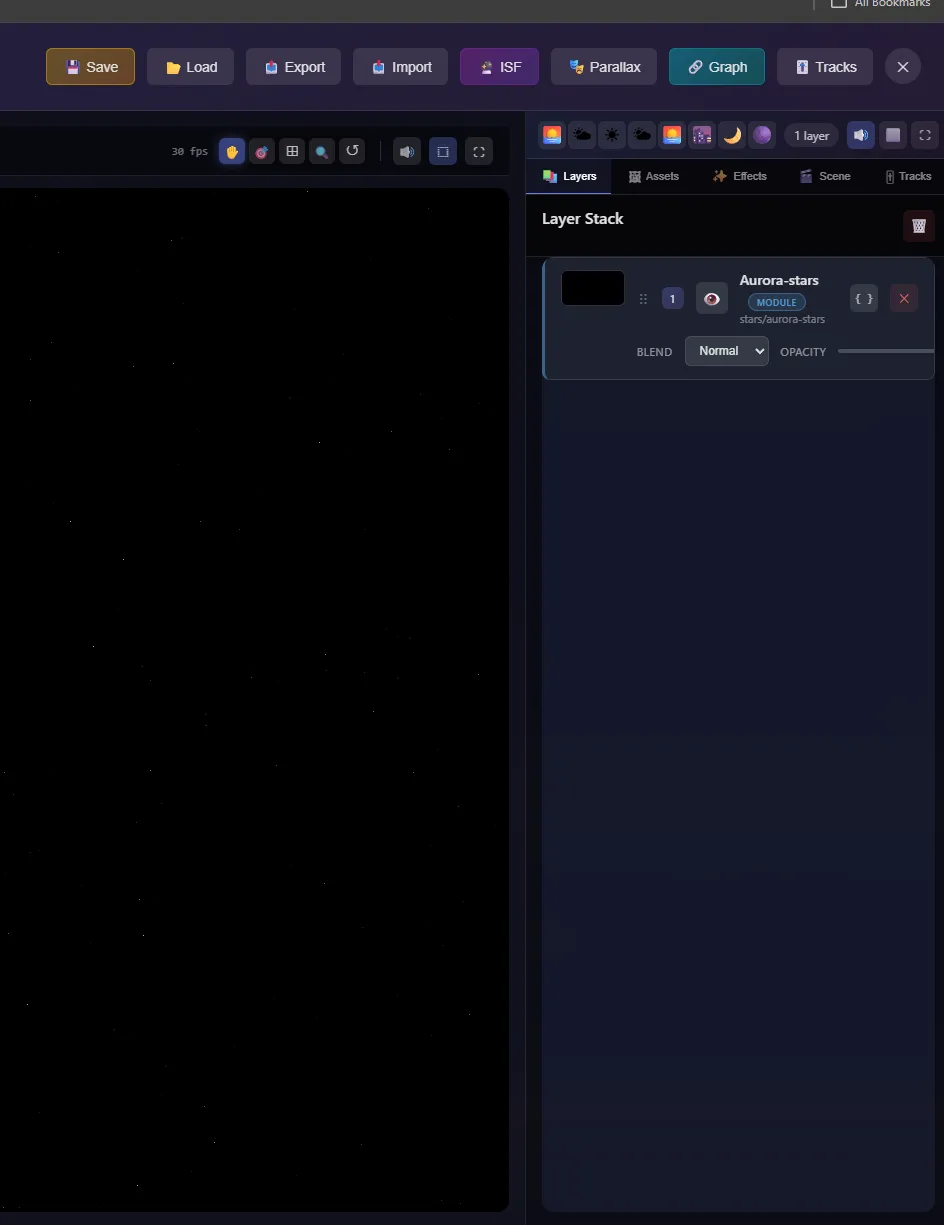
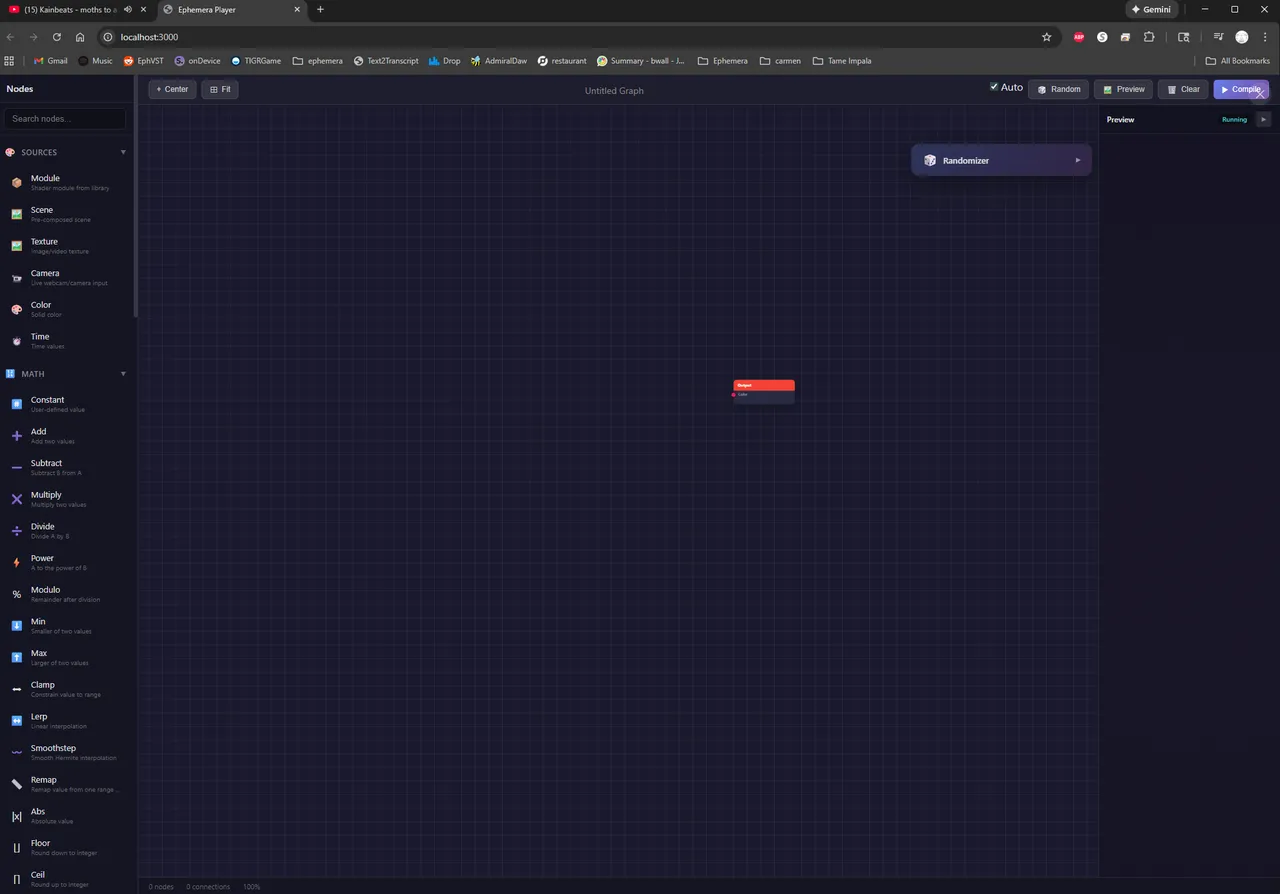
- 6ae1101Ephemera Player: Splash screen added logo. Graph Node Editor: Added multiple types of preview windows.
- Day 283 · 3 commits
- Effects
- 9c058e5Plugin Processor Wave 0: Migrate SampleBrowser to facade pattern. Removed 39 pass-through methods from PluginProcessor by migrating all callers to use getSampleBrowserFacade() directly. Net -306 lines from PluginProcessor. Fixed additional callers in ProcessorState, EditorPanelManager, StateLoadApplicator, GridViewModel, and ViewModeManager.
- bf7f401Plugin Processor Refactor: Inline ProcessorState UIPreferences delegators (-64 lines)
- Other
- a055557 Added facade accessor methods to PluginProcessor. Exposes SampleBrowserFacade, SequencerFacade, StemSeparationFacade, and DocumentManagementFacade via getter methods to enable future cleanup of pass-through methods. No behavioral changes.
- Day 284 · 1 commit
- UI / UX
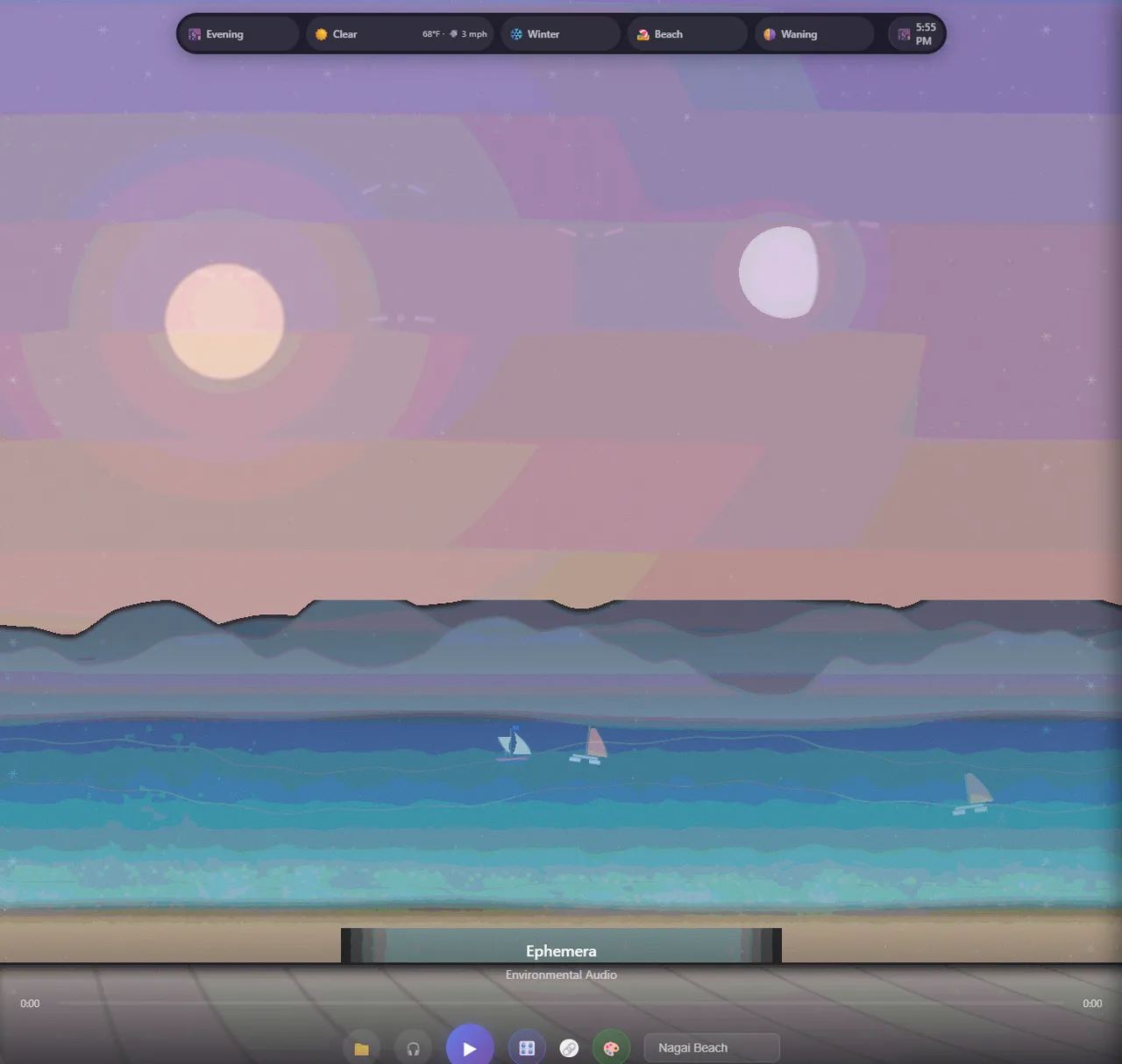
- 48dbb27Ephemera Player: Many Improvements, PS2/3D working, recipes updated, fixed right side panel composition, moved x into header for graph node editor.
- Day 285 · 2 commits
- Visualizer
- 8404320Ephemera Player: Updated Splash Screen. Fixed issue where Graph was disappearing
- Other
- 4bc07c5Ephemera DAW/PLAYER Bridge: Updated access
- Day 286 · 0 commits
- Day 287 · 1 commit
- Audio engine
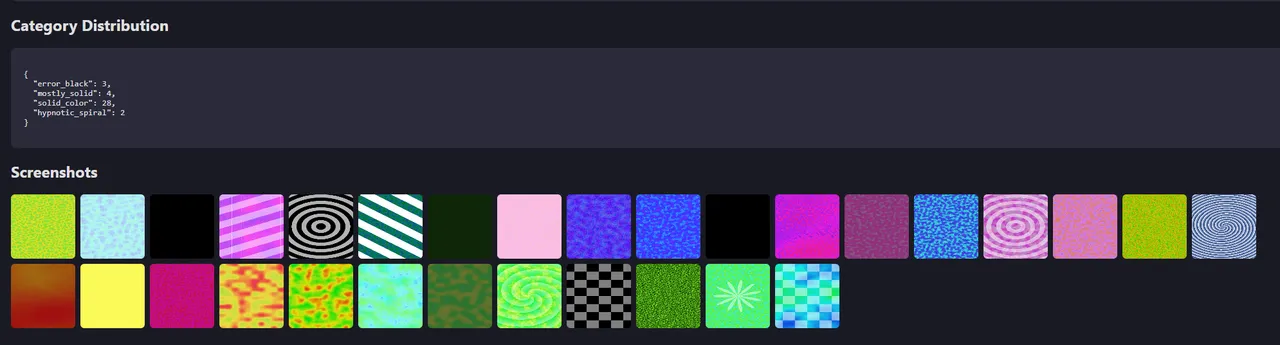
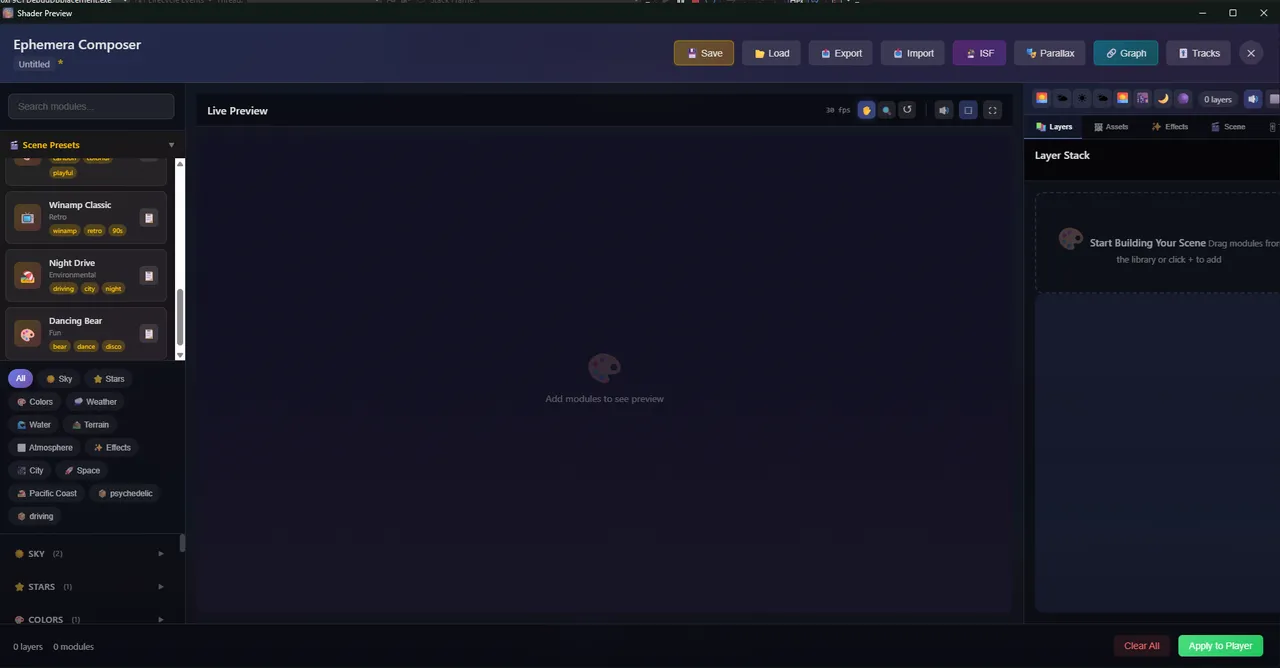
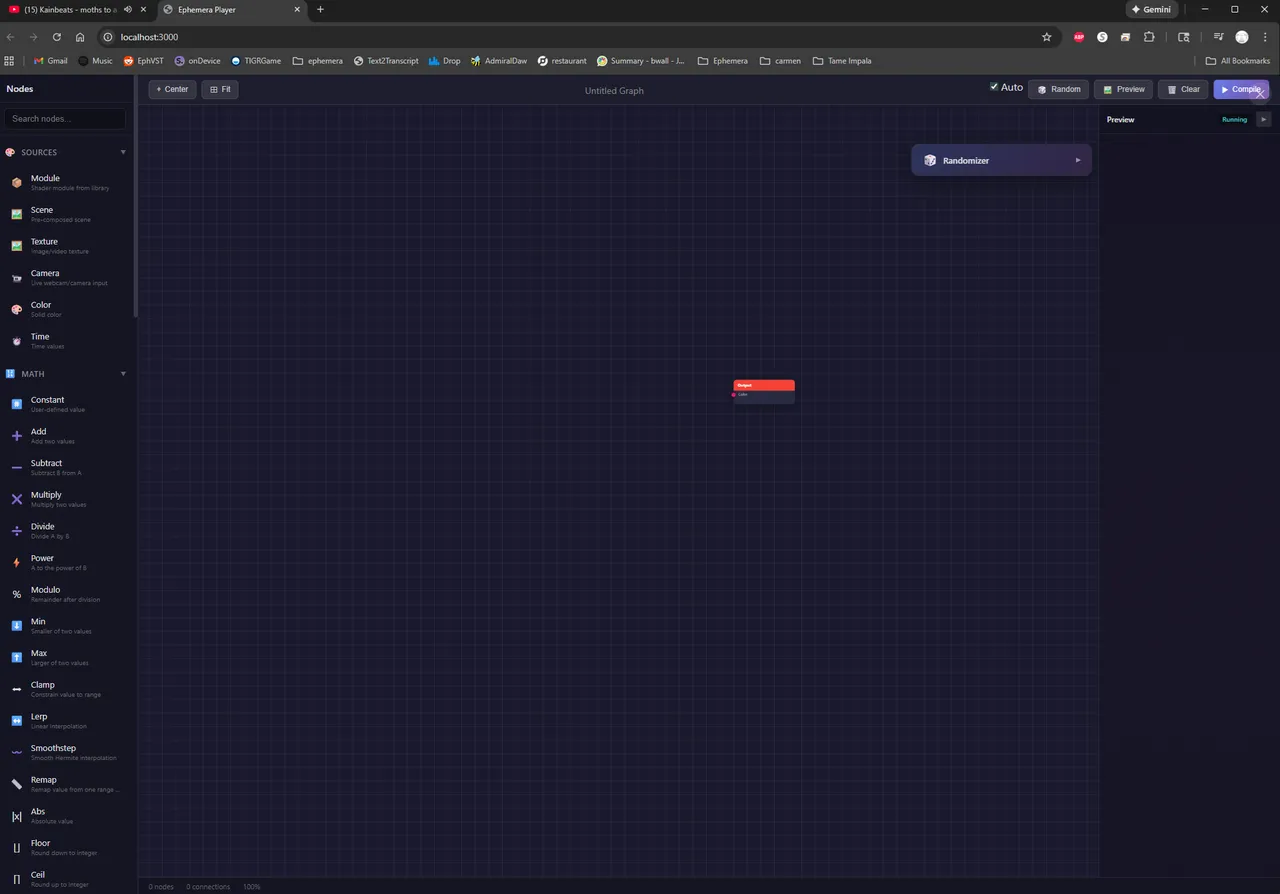
- 0c3bc4aEphemera Player: Added 'Quick Shader' Editor, live monaco shader editor with MIDI Control Selection
- Day 288 · 6 commits
- Visualizer
- c91dbbfProgram Settings: Added Animation Hz Dropdown option to Graphics tab
- be4be71Program Settings: Added Rain Gradient Rendering toggle to change raindrop rendering from gradient to solid
- 6842e7fEphemera Player: Fixed Crash when closing shader preview window before closing quick edit window
- UI / UX
- b12eec3Default Settings: Added Day of Week, Tides, Location and Moon Phase to default header
- 92a722dEphemera Player: DAW design system alignment. Typography: Added font-size tokens (11/16/20/24/30px), weight 300/600, 0.04em heading letter-spacing - Spacing: Added --spacing-xxl (48px) and --spacing-xxxl (64px) Living Theme: Time-of-day adaptive colors synced with system time (TimeOfDayTheme.js, LivingThemeToggle.js) Buttons: 6px radius, 2px shadow, translateY(1.5px) press, hover glow effect - Sliders: 6px track, 20px thumb, 1.03x/1.12x growth on hover/active, modulation glow support
- Other
- 8cb9a47Environmental: Added GPU-Accelerated rain rendering option
- Day 289 · 2 commits
- Other
- 4db15d2Subtractive Synth: Extracted helper classes from SubtractiveSynthComponent (2401→954 lines)
- df45485Additive Synth: Extracted helper classes from AdditiveSynthComponent (2627→1810 lines)
- Day 290 · 4 commits
- Timeline
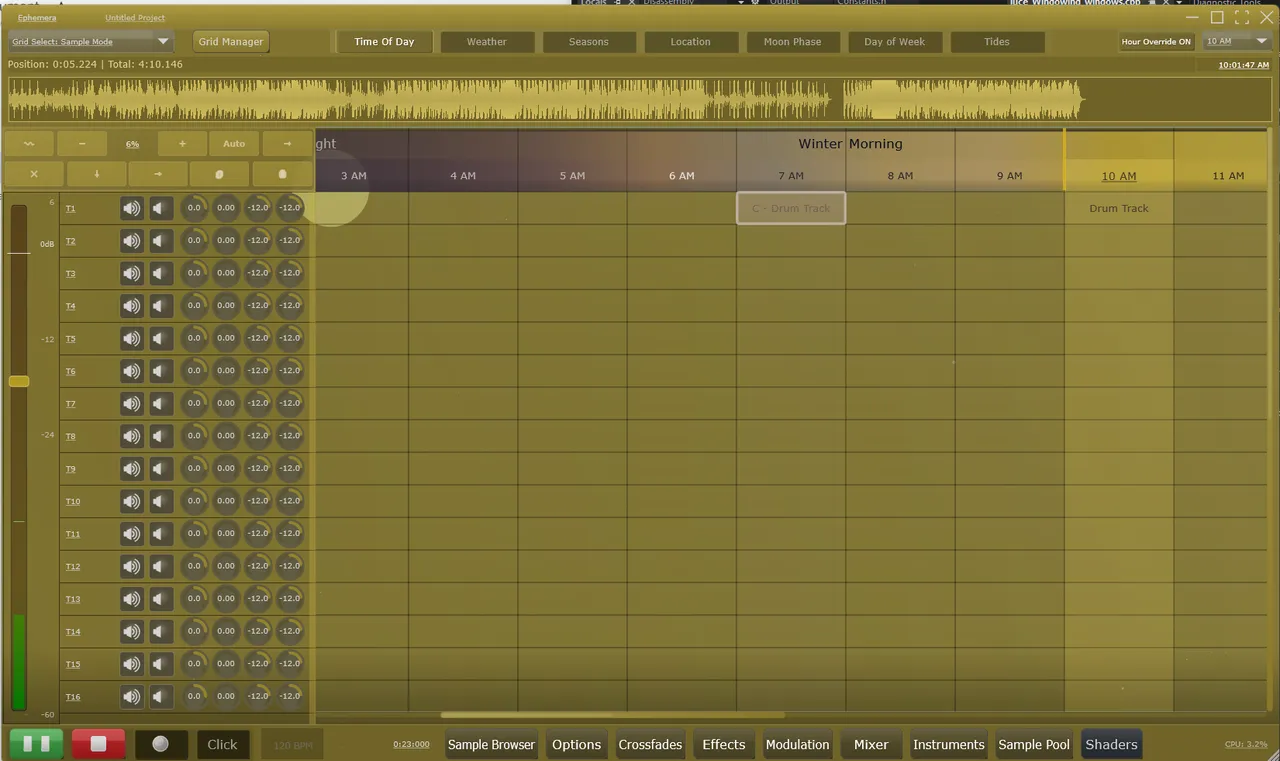
- d06a688Timeline Ruler: Extract Renderer and EventHandler helper classes (2356→320 lines)
- Visualizer
- 56be82a EnvironmentVisualizer: Extracted Renderer and ParticleUpdater helper classes (2332→132 lines)
- Other
- 1826987TopRowComponent: Extract 3 helper classes - EventHandler, ButtonManager, VisualEffects (1993→868 lines)
- 3ac05b0Piano Roll: Extract 5 helper classes from BasePianoRollComponent (2850→2303 lines)
- Day 291 · 0 commits
- Day 292 · 5 commits
- Infrastructure
- 30c869fMixerChannelStrip Refactor: Extract 3 helper classes - Painter, GestureHandler, MenuHandler (1743→1036 lines)
- d3dc01eBottomBarComponent Refactor: Extract 3 helper classes - WindowManager, AnimationHandler, ButtonHandler (1971→1045 lines)
- ffd29cdWaveformdisplaycomponent Refactor: WaveformvalidationHelper/waveformDrawingHelper/WaveformZoomController
- Other
- 42679e1SequencerGridComponent: Extract MouseHandler, DragDropHandler, PaintingHelper (2957→1382 lines)
- 1efdae0TimelineGridComponent: Extract mouse drag logic to TimelineMouseDragHelper (2847→2503 lines)
- Day 293 · 0 commits
- Day 294 · 8 commits
- UI / UX
- 45e6f0bProblem: When the user clicked 'Cancel' on the RecoveryWizardDialog, JUCE's modal system deleted the DialogWindow. However, the static std::unique_ptr<juce::DialogWindow> currentDialog_ still held a dangling pointer. When the app shut down and shutdown() was called, it tried to call exitModalState() on the already-freed memory, causing a crash. Solution: Changed from std::unique_ptr to juce::Component::SafePointer:
- 1899321Add forward compatibility warning dialog for newer file versions. Show non-blocking warning when loading projects from newer Ephemera versions. Dialog displays file vs app version and lists unknown features that will be preserved but cannot be edited. Uses NativeMessageBox::showAsync via MessageManager::callAsync to ensure UI thread safety without blocking
- 4b8767fAdded Crash Recovery Wizard for session recovery after crashes. CrashRecoveryManager: Lock file tracking, recovery file collection. RecoveryWizardDialog: Startup/manual recovery with file browser. Auto-detects crashes and shows recovery dialog on next launch. File > Recover menu for manual backup browsing
- Other
- dce576fAdd XML validation for corrupted project files Implement validateProjectXML() to detect and report malformed XML before loading. Checks for empty input, truncated files, malformed syntax, missing root elements, and bracket mismatches. Shows user-friendly error dialogs with technical details (line numbers) when available. Resets to defaults instead of attempting to load corrupted data.
- 1d95f96Add legacy format upgrade logic for pre-2.0 project files. Implement upgradeLegacyState() method in ProcessorState to automatically convert legacy file formats to current 2.0 format during load.
- 3cfa004Add legacy file format detection for pre-2.0 project files Add FileFormatInfo struct and FileFormatDetection namespace to identify legacy file formats that lack ProjectMetadata or use old serialization. Detection logic identifies: modern 2.x files with metadata, legacy 1.x files with StateVersion property, legacy 1.x without version but with nested structure, and very old flat-format files. Integrate detection into ProcessorState::setStateInformation for logging and migration decisions. Also fixed static destruction crash in RecoveryWizardDialog by adding shutdown() method to clean up currentDialog_ unique_ptr before JUCE shuts down.
- 68873bcPROJ-003.1-003.2: Project file version comparison and forward compatibility. Add compareVersions() static method to ProjectMetadata (-1, 0, 1 result). Add isCompatibleVersion() to check file/app version compatibility. Add CURRENT_FORMAT_VERSION and MINIMUM_SUPPORTED_VERSION constants. Add preservedUnknownNodes ValueTree to store unrecognized XML tags. Add isKnownNodeType() with comprehensive list of recognized tags. Add collectUnknownNodes() to preserve unknown tags on load. Re-append preserved nodes in getStateInformation() for round-trip Log warnings listing unknown tag names via DBG(). Projects from newer versions now load gracefully without data loss.
- 39ebd1dAdd dead-code-cache to .gitignore - prevents commit bloat from generated cache files
- Day 295 · 5 commits
- Audio engine
- 863e8adImplemented clip edge trimming with snap-to-grid support for timeline clips. Added non-destructive trim functionality allowing users to drag clip edges to adjust start and end points. Left edge trimming adjusts both the trim start point and timeline position to keep audio content aligned. Right edge trimming adjusts only the trim end point and duration. Trim operations respect the current snap mode with Shift held to bypass snapping. Added 8-pixel hotzone detection on clip edges with left-right resize cursor feedback. Implemented full undo/redo support via new TrimItem action type in TimelineAction. Locked clips display a message and prevent trimming.
- 16d6c96Add comprehensive crash handling with operation logging and cross-platform support. Closes gaps in the crash handling system by implementing Unix/macOS signal handlers and a circular buffer for tracking recent operations. The CrashReportGenerator now installs signal handlers for SIGSEGV, SIGABRT, SIGFPE, and SIGBUS on Unix platforms, complementing the existing Windows SEH handler. Both platforms now capture full stack traces - Windows uses DbgHelp/StackWalk64 with symbol resolution, while Unix uses backtrace() with C++ name demangling via abi::__cxa_demangle. A new OperationLogger class provides a lock-free circular buffer that tracks the last 100 user operations (parameter changes, sample loads, effect toggles, playback state, etc.) in a thread-safe manner suitable for logging from the audio thread. When a crash occurs, these operations are automatically included in the crash report JSON, providing crucial context about what sequence of actions led to the crash. Crash logs are now stored in /Ephemera/CrashLogs/ with automatic cleanup to stay under a 10 MB folder limit. The crash report format has been enhanced to include stack frame addresses, Unix signal information, and the recent operations log formatted for LLM analysis.
- UI / UX
- d220e2cAdded SnapGridSelector dropdown to timeline toolbar for quick snap mode access Implemented a snap grid selector UI component in TimelineToolbarComponent that displays the current snap mode and provides a dropdown menu for changing it. The selector shows a 'Snap:' label followed by a button displaying the current mode (e.g., '1/4', '250ms', 'Bar'). Clicking the button opens a popup menu organized into submenus: 'Grid (Time)' for millisecond-based snapping and Beat 'Musical' for note-based snapping including triplets. The component listens to APVTS parameter changes so the button text stays synchronized when the snap mode is changed via the timeline ruler context menu. Added tooltip explaining that Shift can be held while dragging to bypass snap.
- 00557c5Added session restore prompt and expanded panel state persistence Implemented user-configurable startup behavior with three options: start empty, ask to restore last project, or auto-restore. Setting available in Settings → General → Startup Behavior. Re-enabled lastProjectPath saving on project save/load operations. Expanded EditorPanelManager panel state to persist browser view mode (Bottom/Right) and right panel width across sessions. Added XMLTags constants for new state properties
- f9ed9f8Enhanced render/bounce pipeline with region and stem export support. Implemented flexible bounce range options allowing export of full project, loop region, time selection, or custom time ranges. Added stem export functionality with per-track selection UI and optional master mix inclusion. Included post-render convenience options for revealing output in Explorer and importing rendered files back to the project timeline. Optimized offline rendering performance with larger block sizes (2048 samples) and throttled progress updates.
- Day 296 · 6 commits
- Audio engine
- 01f1b59Implemented automatic crossfade system for overlapping timeline clips. Added a complete automatic crossfade feature (TL-008) that detects when clips overlap on the same track and applies smooth equal-power crossfade mixing during playback. Created TimelineCrossfadeManager class to handle overlap detection and synchronized gain calculation with lock-free audio thread access. Created TimelineCrossfadeHelper with static utilities for automatic crossfade creation when clips are moved or resized. Integrated crossfade gain application into TimelineBlockProcessor::processBlock(), which now checks if clips are in crossfade regions and applies the calculated gains instead of individual fade curves. Added three new APVTS parameters (TLXfadeAutoEnabled, TLXfadeAutoCurve, TLXfadeMinOverlapMs) to control automatic crossfade behavior. Enhanced TimelineGridPainter with Layer 3.25 visualization showing diamond handles at crossfade midpoints with duration labels and gradient overlays. Added crossfade preferences UI to PluginGeneralTabComponent with toggle for enable/disable, curve type selector (Linear, Equal Power, Equal Gain, Logarithmic, Exponential, S-Curve), and minimum overlap threshold slider. Fixed JUCE 8 API compatibility issue by using getRawParameterValue() instead of the deprecated getValuePointer() method. Fixed compilation error by including PluginProcessor.h for ProcessorTimelineItem definition. Resolved duplicate parameter ID crash by renaming parameters to use unique 'TLXfade' prefix to avoid collision with existing grid crossfade parameters.
- 43c6052Implemented clip fade system with interactive handles for timeline clips Added professional DAW-standard fade functionality allowing users to adjust fade-in and fade-out durations by dragging handles in the top corners of timeline clips. Created FadeCurves utility class with six curve types (Linear, Equal Power, Equal Gain, Logarithmic, Exponential, S-Curve). Added fade parameters to TimelineClip struct with Cello serialization for project persistence. Integrated fade gain calculation into TimelineBlockProcessor for real-time audio processing with smooth gain application. Implemented visual fade curve overlay in TimelineGridPainter showing darkened regions and curve lines. Added fade handle hover detection and drag interaction in TimelineHoverManager and TimelineDragStateManager. Fixed coordinate system mismatch where edge detection was incorrectly offset by track label width after the Active Sources column was separated into its own component.
- Timeline
- 969e8f4The fade curve lines are now- Golden orange (#FFAA00) instead of white - stands out clearly against the white waveform centerline. 2px thick instead of 1.5px - slightly more visible. 95% opacity for solid visibility
- 47934a1Fixed fade curve scroll positioning to stay locked at actual timeline positions Fade curves and handles now correctly stay fixed at their actual clip positions when scrolling horizontally. Previously, fades were drawn relative to the visible portion of clipped items, causing them to slide within clips during scrolling. Now calculates actual clip start/end positions using viewStartSec and renders only the visible portion of fade regions with correct interpolation through partial visibility.
- 0ce35daImplemented Timeline Selection Manager with professional DAW standard features. Added TimelineSelectionInfoProvider to calculate selection metrics including total duration, now displayed in the Active Sources column badge as '5 clips │ 2:34.500' format. Created TimelineSelectionNavigator for arrow key clip navigation supporting Tab/Shift+Tab for next/previous clip, Ctrl+Arrow keys for directional navigation with Shift to extend selection, and Ctrl+Home/End to jump to first/last clip. Added TimelineMultiClipboardHandler for multi-clip copy/paste operations that preserve relative positioning between clips. Implemented Ctrl+D duplicate shortcut that places copies immediately after selected clips with 100ms gap. Fixed compilation errors by adding TimelineMultiClipboardHandler as friend class to TimelineGridComponent and declaring explicit destructor in TimelineSelectionShortcuts to resolve incomplete type deletion issues. Marked TL-003 complete in features.yaml.
- UI / UX
- f2e5925Implemented professional rubber-band selection for timeline Rubber-band (marquee) selection now triggers by clicking and dragging in empty timeline space without requiring any modifier key. Previously required Ctrl+Click to initiate. Changed the selection rectangle to use the accent blue color instead of white for better visual consistency with the UI theme. Added support for additive selection using Ctrl/Cmd modifier - holding these keys while dragging adds clips to the existing selection rather than replacing it. Selection correctly handles all zoom levels since both the selection rectangle and clip bounds use the same pixels-per-second conversion. Used a 'primed' state that stores the click position, then converts playhead drag to rectangle selection after a 5-pixel threshold, preserving the existing click-to-move-playhead behavior for clicks without drag.
- Day 297 · 7 commits
- Audio engine
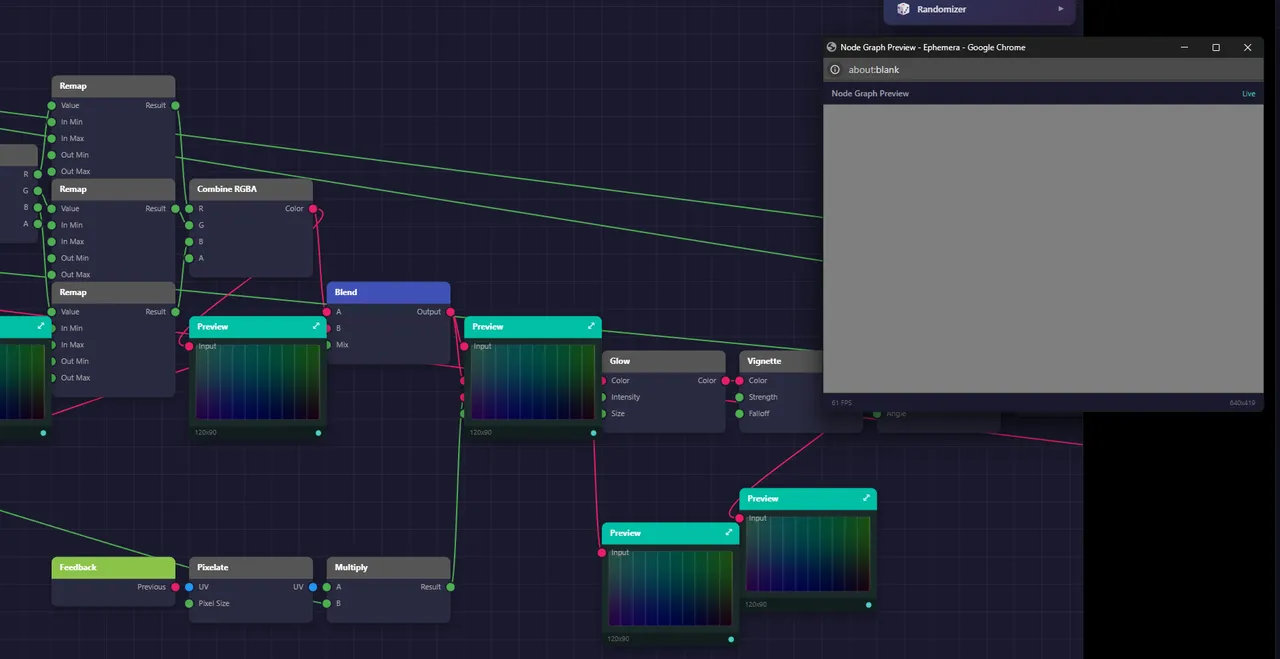
- 8c95f1bImplemented Clip Joining feature (Ctrl+J) which merges two adjacent timeline clips back into a single clip. Clips are detected as joinable when they reference the same source audio file, are on the same track, are immediately adjacent in time, and have continuous trim points (the right clips trim start equals the left clips trim end). The join operation extends the left clips duration to encompass both clips, preserves the right clips fade-out parameters on the merged clip, and removes the right clip. Added Join Clips to the right-click context menu when a clip has a joinable neighbor. Visual feedback shows small turquoise chain-link icons at clip edges where joins are possible, with the icons appearing on the inner edges between joinable pairs. Created TimelineJoinAction undoable action class that properly restores both clips on undo, including the original left clip trim/fade parameters and recreating the removed right clip. The joinable flags are updated automatically when clips change, checking for same file path, same track, adjacent timing within 1ms tolerance, and matching trim continuity.
- 8d8092aImplemented Split at Playhead (Ctrl+E) which splits selected clips or all clips intersecting the playhead position. Added Split All at Playhead (Ctrl+Shift+E) for creating section boundaries across all tracks. Added 'Split Here' option to the right-click context menu for splitting clips at the exact mouse position. Implemented automatic 2ms fades at split points to prevent audio clicks, with proper undo support that restores original fade parameters. Added visual feedback with a dashed preview line when hovering over clips with the razor tool, and displayed time/bar/beat position in the info bar during razor hover.
- c53a109Added professional DAW-style crossfade curve visualization to timeline. Two colored curves now display within crossfade regions showing the fade-out (coral) and fade-in (mint) gain curves that will be applied during playback. The curves dynamically update as the diamond bias handle is dragged, accurately reflecting the selected curve type (Linear, Equal Power, S-Curve, etc.) and bias position. A small white dot marks the crossover point where both clips have equal gain. Curves only render when the region is large enough to be legible (>10px wide, >20px tall) with segment count scaling based on region width fo smooth rendering at all zoom levels.
- 5c48557Fixed crossfade diamond click detection and improved duration label visibility. The diamond handle was unresponsive to clicks because the hover manager calculated its position using raw overlap times while the painter used clamped pixel values for partially off-screen regions, causing a coordinate mismatch. Updated checkCrossfadeDiamond() to match the painter's exact calculation by clamping xStart/xEnd to the visible area before computing the diamond position. Also improved duration label visibility by lowering the pixel threshold from 40 to 20 and adding tiered display - full labels with bias ratio for wide regions (>60px), duration with 'ms' for medium regions (35-60px), and just the number for narrow regions (20-35px).
- Timeline
- 340febfFixed edge snap line to only highlight the target clip's lane. Previously the snap line would extend across multiple lanes when dragging a clip vertically past the snap point, because the Y bounds were calculated using both the target and dragged clip lanes, and the dragged clip's lane would update during the drag. Simplified the calculation to only use the target clip's lane since that's where the snap edge exists. Also added caching of the snap time to prevent Y bounds recalculation when returning to the same snap point after dragging away.
- e65a86cFixed razor tool splitting clips into separate lanes instead of keeping them in the same trac. The razor tool was incorrectly moving the right portion of a split clip to a different lane. The root cause was that clips with laneIndex = -1 (auto-assign) were being assigned to different sequential lanes by the assignEffectiveLanes() algorithm after splitting. Fixed by passing the effective visual row index from ActiveSampleInfo to TimelineSliceAction and setting both the left and right clips to use that row as an explicit lane assignment, ensuring both clips remain in the same visual lane where the original clip appeared.
- UI / UX
- 3acabcdRefined edge snap visual feedback with theme-aware colors and localized rendering. The snap line now uses a bright saturated time-of-day color when in Living Theme mode and a clean white/light grey for Dark Theme mode. Changed the snap line to only render vertically between the lanes involved in the snap (from the top of the higher lane to the bottom of the lower lane) rather than spanning the entire timeline height. Added hysteresis logic to prevent visual flicker when pulling away from a snap point - the snap visual now requires moving 18 pixels away before it can re-trigger, eliminating the repeated flash effect on micro mouse movements near snap thresholds.
- Day 298 · 3 commits
- Audio engine
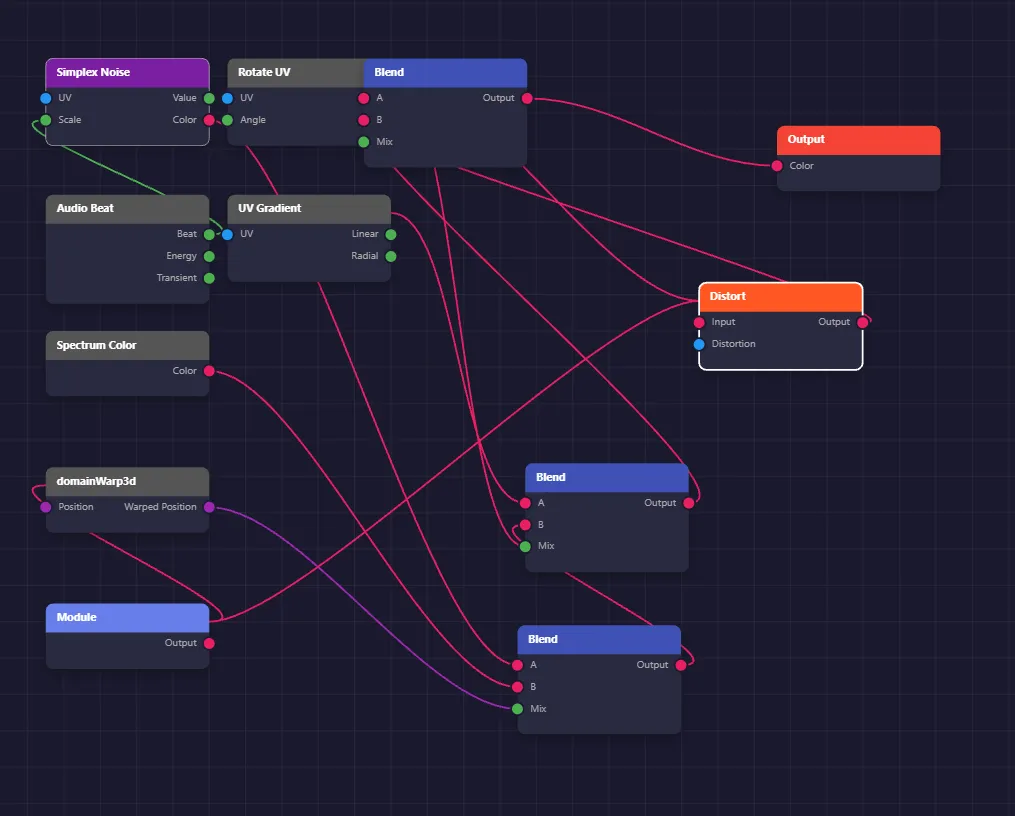
- c863342Implemented clipboard operations (Ctrl+C/X/V) for timeline clips. Added standard DAW clipboard shortcuts: Ctrl+C copies selected clips to internal clipboard, Ctrl+X cuts clips (copy + delete with undo support), and Ctrl+V pastes at playhead position maintaining relative positions between multi-selected clips. Added 'Paste to This Track' option in the track header right-click context menu for pasting clips to a specific lane. Implemented missing sample file validation that warns users when pasting clips whose source audio files no longer exist on disk. Fixed getSelectedSampleInfos() to check clipID-based selection first (modern timeline selection) before falling back to legacy cell-based selection, resolving an issue where selected clips weren't recognized by clipboard operations.
- UI / UX
- deb15acFixed playhead desync between timeline ruler and grid that occurred after window resizing or horizontal scrolling. The root cause was that during layout operations in EditorLayoutManager, the ruler component was being positioned without synchronizing its view parameters (viewStartSec, pixelsPerSecond, trackLabelAreaWidth) with the grid's current values. Added immediate sync of the ruler's view parameters right after positioning it in layoutGridsAndViewports(), ensuring the ruler always renders the playhead at the same screen position as the grid regardless of resize or scroll state.
- 146803fAdd Ctrl+D clip duplication with Ctrl+Shift+D and Ctrl+R dialogs Implemented professional DAW-style clip duplication and repeat functionality. Added Ctrl+D to duplicate selected clips immediately after their current positions, maintaining relative positions for multi-selection and transferring selection to newly created clips. Created a 'Duplicate To' dialog accessible via Ctrl+Shift+D that allows specifying a target time in bar.beat or MM:SS format with optional track selection. Added a 'Repeat' dialog via Ctrl+R for creating multiple copies (1-99) with configurable spacing, supporting both gap-free back-to-back placement and bar-aligned intervals. All operations support multi-selection, respect clip lock state, and include full undo/redo support. Added corresponding context menu items under the 'This Clip' submenu. Fixed selection detection to handle both clip-based selection for clips with clipIDs and cell-based selection for legacy clips, ensuring duplication works regardless of how clips were created or loaded.
- Day 299 · 4 commits
- Audio engine
- ddd17d4Add velocity range selection dialog for piano roll notes Implemented a 'Select by Velocity Range' feature that allows bulk selection of piano roll notes based on their velocity values. Added VelocityRangeDialog with min/max sliders displaying MIDI values (0-127), automatic min/max constraint enforcement, and descriptive range previews (soft notes, loud notes, etc.). Integrated the dialog into the piano roll context menu and added selectByVelocityRange method to PianoRollSelectionManager following the existing selectAllNotesAtPitch pattern.
- 2239769Added piano roll window polish features including note preview during drag operations, color-coded velocity bars, and collapsible CC automation lanes. Implemented MIDI note preview that plays the note when starting a drag and updates the preview when the pitch changes during vertical movement. Enhanced the velocity lane to display bars with a three-way color gradient where low velocities appear blue, medium velocities green, and high velocities red. Created new PianoRollCCLane component supporting CC1 Modulation, CC7 Volume, CC10 Pan, CC11 Expression, CC64 Sustain, and CC74 Filter with step/hold line graph visualization, double-click to add events, drag to adjust position and value, collapsible headers, and resizable height. Integrated three default CC lanes (Modulation, Volume, Expression) into PianoRollViewport with synchronized horizontal scrolling.
- UI / UX
- f5e352bAdded loop selection from notes feature to piano roll with independent loop region support. Implemented a 'Set Loop from Selection' context menu option that automatically sets loop markers from the bounds of selected notes. The loop region is now managed within the piano roll's own time ruler rather than the main timeline, allowing independent looping while editing patterns. Added loop region state and rendering to PianoRollTimeRuler with semi-transparent overlay and triangle boundary markers. Created paintLoopRegion method in PianoRollPaintManager for consistent visual styling. Wired up the loop region handler through PianoRollViewport to properly delegate from the context menu to the time ruler. The feature calculates the earliest note start and latest note end among selected notes and displays the loop region in beats (the piano roll's native time unit).
- Other
- b675b85Add lasso selection tool for piano roll freehand note selection. Implemented freehand lasso selection tool for selecting notes with irregular shapes in the piano roll. Users can click and drag to draw a freeform path, and all notes intersecting or enclosed by the path become selected.
- Day 300 · 8 commits
- Audio engine
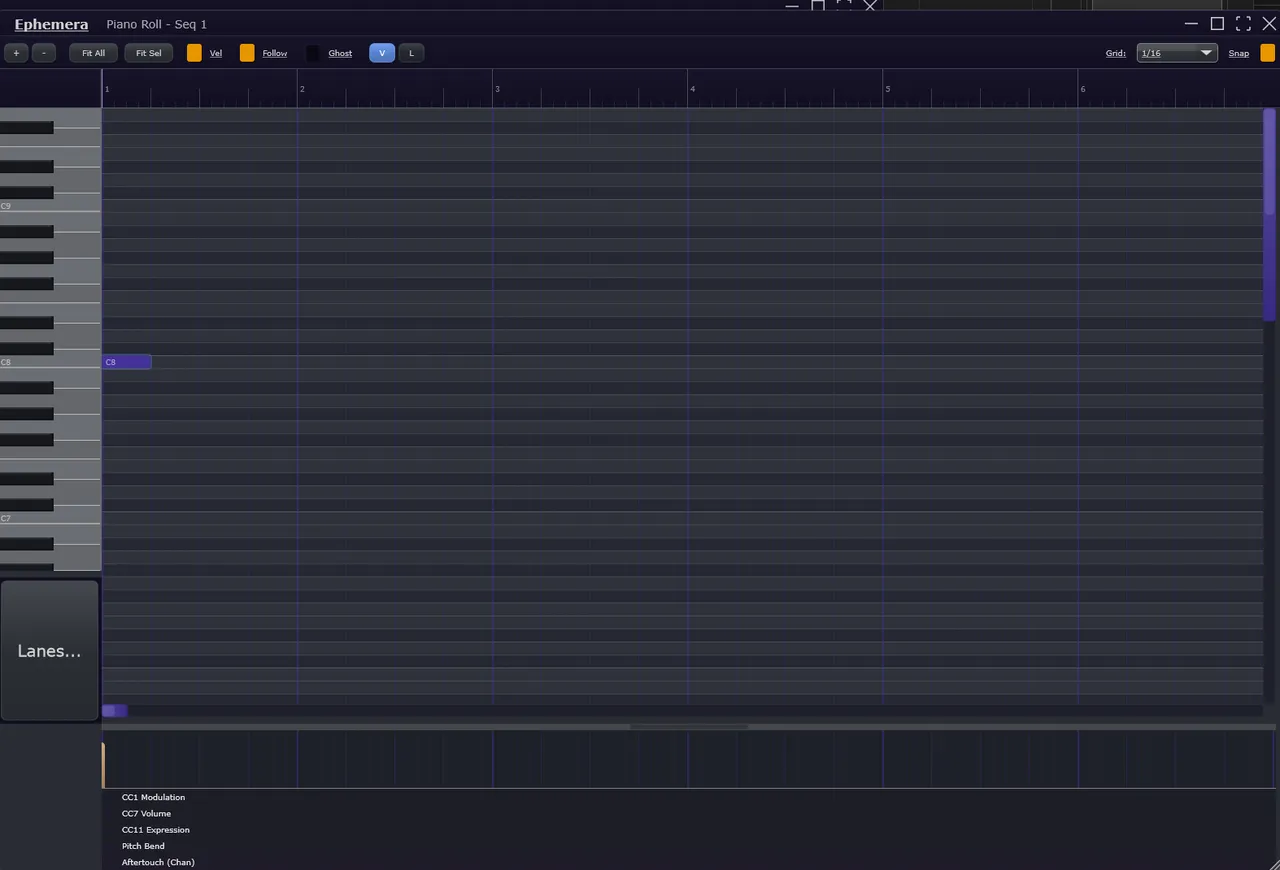
- 0508245Added aftertouch editing support to piano roll with channel and polyphonic modes. Created PianoRollChannelAftertouchLane component for channel pressure automation with collapsible UI, curve interpolation (Step, Linear, Bezier, Exponential, Logarithmic, S-Curve), context menus, and preset curve insertion. Extended PianoRollNoteState with polyAftertouch and polyATEnabled fields for per-note pressure values. Added poly aftertouch heat map visualization overlay on notes in PianoRollPaintManager with 'AT' indicator. Implemented MIDI generation methods in PianoRollMidiHandler for both channel aftertouch (D0) and polyphonic key pressure (A0) messages. Created PianoRollLanesSelector component positioned below the piano keyboard for convenient access to show/hide automation lanes including CC, Pitch Bend, and Aftertouch via dropdown menu.
- 8534c3cAdded curve interpolation system to piano roll CC and pitch bend lanes with multi-note velocity curve application. Extended CCEvent and PitchBendEvent structs with curve type fields supporting Step, Linear, Bezier, Exponential, Logarithmic, and S-Curve interpolation modes. Implemented curve-aware rendering that samples curves at multiple points for smooth visual display. Created VelocityCurveApplicator utility class for applying velocity curves across multiple selected notes with presets for crescendo, decrescendo, compression, expansion, humanization, and normalization. Added comprehensive context menus with curve type selection, Bezier tension adjustment, and preset curve insertion. Implemented keyboard shortcuts (1-6 for curve types, C to cycle, +/- for tension adjustment). Added color-coded visual indicators for different curve types on event points. Fixed undo support in PianoRollParameterLane by implementing commitPendingUndoChanges for batch velocity edits.
- d908d37Added PianoRollPitchBendLane for bipolar pitch bend automation editing in the piano roll. Created PianoRollPitchBendLane.h and PianoRollPitchBendLane.cpp with collapsible lane component featuring bipolar value display (-1.0 to +1.0) centered at zero. Implemented step/hold automation line with filled area visualization that extends up or down from the center line based on bend direction. Added double-click to create events and drag-to-edit for adjusting time and value. Included resizable lane height (40-200px) with interactive drag handle. Added context menu with Reset to Center, Clear All Events, and pitch bend range selection (±2, ±12, ±24 semitones). Integrated time-of-day theming colors throughout the component. Wired up PianoRollViewport with pitch bend lane creation, visibility control, and horizontal scroll synchronization.
- 6bce67dAdd keyboard navigation for piano roll notes with arrow keys and Tab. Implemented comprehensive keyboard navigation for traversing notes in the piano roll. Left/Right arrows navigate to previous/next note in time order. Ctrl+Up/Down navigate to higher/lower pitched notes at approximately the same time position (within 0.5 beat tolerance for chord editing). Tab and Shift+Tab cycle through all notes in sequence sorted by time then pitch, wrapping around at the ends. Holding Shift while pressing arrow keys extends the selection to include the navigated note rather than replacing it. Added navigation methods to PianoRollSelectionManager including findNextNoteInTime, findPreviousNoteInTime, findHigherPitchedNote, findLowerPitchedNote, findNextNote, and findPreviousNote. Created scrollToNote method in BasePianoRollComponent that automatically scrolls the viewport to keep the navigated note visible with comfortable 10% margins. Wired keyboard shortcuts through PianoRollInteractionHandler using a navigation callback pattern. Updated keyboard shortcuts documentation with the new navigation section.
- UI / UX
- a8d47c1Added curve type support to CC automation lanes with six interpolation modes. Extended CCEvent struct with curveType enum (Step, Linear, Bezier, Exponential, Logarithmic, SCurve), tension, and tangent fields. Implemented curve-aware painting that samples curved segments at 16 points for smooth rendering. Added interpolation methods for all curve types including Hermite smoothstep for S-curves and cubic Bezier with adjustable tension. Updated context menu with per-point curve type selection, tension presets for Bezier curves, and selection-based curve type application. Added keyboard shortcuts (1-6 for direct curve type, C to cycle, +/- for tension adjustment). Implemented visual indicators with color-coded points by curve type and hover tooltips showing curve type and Bezier tension. Enhanced preset curve insertion with S-curve crescendo/decrescendo, logarithmic fade in, exponential fade out, and complex swell/dip shapes. Updated getValueAtTime() to use curve interpolation for accurate real-time value lookup.
- bfe636fAdded context menu, snap-to-grid, drawing mode, and preset curves to PianoRollCCLane for PIANO-009/010 completion. Implemented right-click context menu with Delete Event, Clear All Events, Select All Events, Snap to Grid toggle, Drawing Mode toggle, and Insert Curve submenu (Crescendo, Decrescendo, Swell). Added snap-to-grid support that quantizes event times to the current grid division when adding or moving events. Implemented drawing mode for continuous curve input by click-dragging in empty areas, sampling at 32nd note intervals. Added preset curve generation methods that insert 16-point automation ramps across the visible time range. Included keyboard handling with Delete/Backspace to remove selected events, Ctrl+A to select all, and Escape to deselect. Added Shift+click for multi-selection toggle. Both CC1 Modulation and CC11 Expression lanes now have full editing capabilities.
- a0bfa16Add F key shortcut for piano roll scroll-to-selection feature. Added single-key 'F' shortcut to center the piano roll view on currently selected notes, complementing the existing Ctrl+1/Cmd+1 shortcuts. Updated the Fit Sel button tooltip to document all available shortcuts (F, Ctrl+1, or Cmd+1). The underlying fitSelectedNotes() implementation was already complete, calculating the bounding box of selected notes and adjusting zoom/scroll with appropriate padding.
- 3d8a81bAdded loop region selection via right-click drag on piano roll time ruler matching timeline grid UX. Created PianoRollRulerEventHandler to handle mouse interactions including right-click drag for loop region selection, playhead click-to-position, and context menu operations. Implemented time range tooltip display during drag showing bar:beat position. Added context menu with Clear Loop, Set Loop to All, Enable/Disable Loop toggle, and Loop Count submenu (Infinite, 1, 2, 4, 8, 16, Custom). Included punch in/out marker support for recording with red visual markers and shaded region between them. Updated PianoRollTimeRuler with mouse event handlers and integrated the new event handler. Added paintPunchMarkers method to PianoRollPaintManager for rendering punch in/out indicators.
- Day 301 · 10 commits
- Audio engine
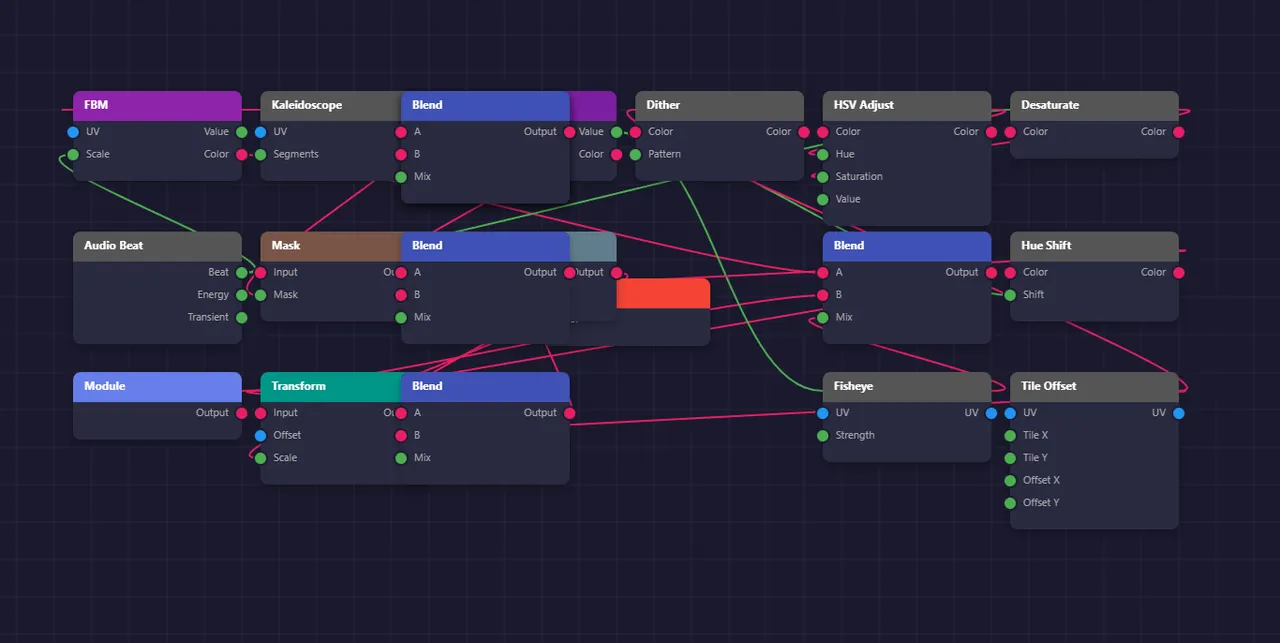
- c449924Added MPE Expression Lane for per-note curve editing in piano roll. Created MPEExpressionLane component with tabbed dimension switching (Pitch Bend, Pressure, Slide, All) and collapsible header matching existing lane patterns. Implemented curve rendering with control points, note boundary indicators, and filled areas under curves. Added mouse interaction for clicking to add points, dragging to move with Shift constraint and Alt fine control, double-click to delete, and Ctrl+drag for freehand drawing mode. Integrated lane into PianoRollViewport with scroll/zoom synchronization and selection change notifications. Added lane toggle to PianoRollLanesSelector menu under MPE Expression
- eb2f6edAdded MPE callback wiring to enable visual feedback for expression dimensions. The MPE context menu options were not functioning because the callbacks were never connected in BasePianoRollComponent. Added the missing setMPECallbacks() call that wires up the enable dimension, clear expression, apply preset, and configure callbacks to their respective handler methods. Also fixed MPETrailRenderer to display trails for enabled dimensions even when no curve points exist yet, rendering a background fill and baseline to give users immediate visual feedback when enabling Pressure, Pitch Bend, or Slide from the context menu.
- b65bc6bImplemented comprehensive MPE support for per-note expression control. Created core MPE types with expression curves for pitch bend, pressure, and slide (CC74) dimensions. Added MPEZoneManager for zone configuration supporting Lower, Upper, and Dual zone modes with configurable member channels and pitch bend range. Implemented MPEChannelAllocator with voice stealing for dynamic channel assignment. Created MPEMidiGenerator for generating per-note MIDI messages with expression automation. Added MPETrailRenderer for visualizing expression curves as colored trails below notes. Implemented MPETrailInteractionHandler for inline curve editing with mouse interactions including point dragging, double-click to add/delete, and drawing mode. Created MPEZoneConfigPanel UI for configuring MPE zones. Added MPE persistence to PianoRollNoteWrapper using JSON serialization for expression curves. Integrated MPE MIDI generation into PianoRollMidiHandler. Added MPE submenu to context menu with options for enabling dimensions, applying presets (swell, vibrato, bend, fade), and zone configuration. Added MPE expression colors to DesignTokens.
- a810ae4Created MPETrailInteractionHandler for inline editing of MPE expression curves directly on piano roll notes. Defined MPETrailDragState enum with None, DraggingPoint, DrawingCurve, and SelectingRegion modes, plus MPETrailDragInfo struct to track drag operation state including note ID, dimension, point ID, start/current positions, and modifier key states. Implemented mouseDown() to detect clicks on control points and start dragging or initiate drawing mode with Ctrl/Cmd held. Added mouseDrag() with constrained movement support (Shift for horizontal/vertical lock) and fine control (Alt for 0.25x scaling). Implemented mouseDoubleClick() to add new points in empty trail areas or delete existing points when double-clicking on them. Created addPoint() method that auto-creates MPE expression data if needed and enables the curve dimension. Added positionToTimeValue() helper for converting screen coordinates to relative time (0-1) and expression value with bipolar support for pitch bend. Included callbacks for undo checkpoint creation and expression change notifications.
- 9bce137Integrated MPE MIDI generation into PianoRollMidiHandler for per-note expression playback. Added MPE infrastructure members (MPEZoneManager, MPEChannelAllocator, MPEMidiGenerator) wired together in the constructor. Implemented setMPEEnabled() and isMPEEnabled() methods that toggle zone configuration between LowerZone and Disabled. Added prepareToPlay() for sample rate configuration and resetMPEState() for transport stop cleanup. Created generateMPEMidiEvents() method that builds ActiveMPENote list from PianoRollNoteState notes, allocates per-note channels via the allocator, and delegates to MPEMidiGenerator for MIDI output with expression automation. Implemented buildActiveMPENotes() to handle note tracking, probability filtering, and channel assignment with mpeChannel atomic writeback for UI display. Added updateActiveMPENotes() to track note-on/off state and release channels after note completion. Included generateMPEInitMessages() for sending MCM/pitch bend range at transport start and generateMPEAllNotesOff() for transport stop. Falls back gracefully to standard generateMidiEvents() when MPE is disabled.
- d32a833Added MPE persistence and trail integration to the piano roll rendering system. Extended PianoRollNoteWrapper with mpeExpressionData and mpeChannel properties for ValueTree-based persistence, implementing JSON serialization/deserialization for the three MPE expression curves (pitch bend, pressure, slide). Added getOrCreateMPEExpression(), getMPEExpression(), setMPEExpression(), hasMPEExpression(), and clearMPEExpression() methods with lazy loading from serialized data. Updated createCopy() to preserve MPE expression data during note duplication. Integrated MPETrailRenderer into PianoRollPaintManager's paintSingleNote() method, automatically rendering expression trails below notes with display mode adapting to selection state (Expanded), hover state (Hover), or default (Collapsed). Added MPE badge rendering on notes that contain expression data. Extended paintSingleNote signature to accept noteId parameter for hover tracking.
- d098f77 Added MPE MIDI generation and visual trail rendering components. Created MPEMidiGenerator class that handles per-note MIDI message output including note on/off with channel assignment, per-note pitch bend, channel pressure, and CC74 slide messages at configurable sample intervals. Implemented last-value tracking to avoid redundant MIDI output and zone initialization message generation for transport start. Created MPETrailRenderer class for visualizing per-note expression data as colored trails below piano roll notes. Implemented three display modes (Collapsed 4px, Hover 12px, Expanded 28px with control points) and support for rendering pitch bend (cyan), pressure (magenta), and slide (amber) curves with smooth path interpolation. Added hit testing for control point selection and MPE badge rendering for notes with expression data. Added MPE color tokens to DesignTokens.h including dimension colors, trail state colors, control point colors, and badge styling
- 871273aAdded note probability feature to piano roll for generative patterns and humanized variations. Extended PianoRollNoteState struct with atomic probability field (0.0-1.0, default 100%). Implemented probability visualization in PianoRollPaintManager that renders low-probability notes semi-transparently with color-coded percentage badges in bottom-left corner (green >66%, yellow 33-66%, red <33%). Added probability-based MIDI generation in PianoRollMidiHandler that evaluates probability when notes start, ensuring complete note-on/off pairs either play or skip entirely. Created Probability submenu in context menu with preset values (100%, 75%, 50%, 25%), custom option, and randomize function. Added random seed management for reproducible playback patterns with setProbabilitySeed() and resetProbabilityRng() methods. Updated Cello wrapper and clipboard handler to preserve probability during save/load and copy operations. Probability resets to 100% on paste by design since the addNote callback signature was preserved for compatibility.
- Infrastructure
- 7b9f457Add MPE core infrastructure: types, zone manager, channel allocator Foundation for PIANO-14 MPE support with per-note expression curves, zone configuration (Lower/Upper/Dual), MCM/RPN message generation, and round-robin channel allocation with voice stealing.
- Other
- 90ad02dAdded MPE copy/paste and undo/redo support with public API methods. Extended PianoRollClipboardHandler with MPE expression copy/paste functionality including deep copy of expression curves between notes. Created PianoRollMPEExpressionAction undo action supporting enable dimension, clear expression, apply preset, and curve modification operations with full undo/redo capability. Added public MPE API methods to BasePianoRollComponent for setNoteMPEExpression, getNoteMPEExpression, clearNoteMPEExpression, enableMPEDimensionForSelectedNotes, clearMPEExpressionFromSelectedNotes, and applyMPEPresetToSelectedNotes. Implemented four MPE presets (swell, vibrato, bend, fade) with predefined curve shapes for quick expression application.
- Day 302 · 7 commits
- Audio engine
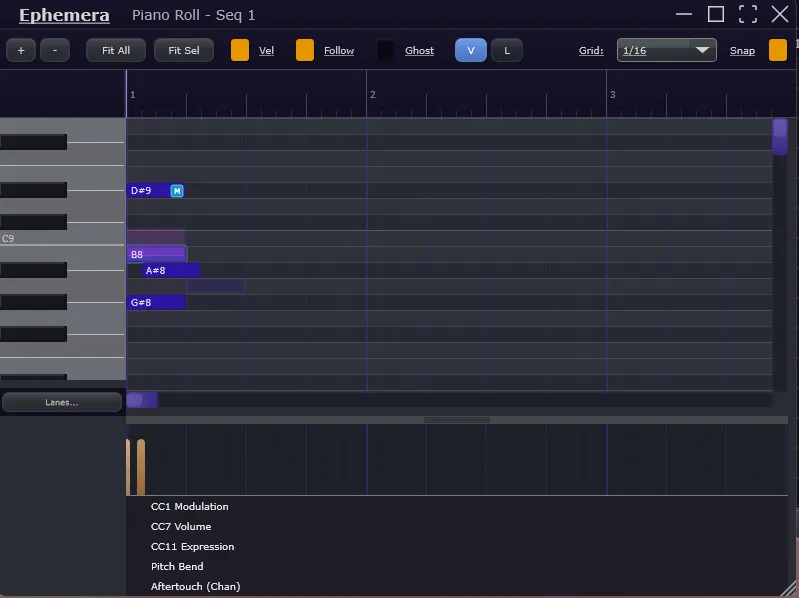
- 5acfd83Added ArticulationLane component for orchestral keyswitch support in piano roll. Created core data structures in Articulation/ folder including ArticulationTypes.h with ArticulationDefinition, ArticulationMap, ArticulationEvent, and KeyswitchEvent structs. Implemented TrackArticulationData class for per-track event storage with add/remove/move/resize/split/join operations and keyswitch generation for playback. Added ArticulationMapManager for library management with factory presets for common orchestral libraries (Spitfire, basic strings/brass/woodwinds patterns) and Cubase Expression Map import support. Created ArticulationLane UI component with collapsible/resizable design following existing lane patterns, region-based display with colored rectangles, mouse interaction for drawing and editing regions, and context menus for articulation selection. Integrated lane into PianoRollViewport with scroll/zoom synchronization and added toggle option to PianoRollLanesSelector menu.
- 3a5b291Added MPE Configuration settings panel with pitch bend presets and per-dimension sensitivity controls. Replaced the placeholder Configure MPE Zone...' menu option with a functional CallOutBox panel that allows real-time configuration. Implemented ExpressionSensitivity struct in MPETypes.h with support for multiplier scaling (0.5x-2.0x) and response curve shaping (Linear/Logarithmic/Exponential) for each MPE dimension. Updated MPEZoneManager serialization to persist sensitivity settings with backward-compatible defaults. Modified MPEMidiGenerator to apply sensitivity transformations before MIDI conversion. Enhanced MPEZoneConfigPanel UI with quick-select pitch bend range buttons (+/-2, +/-12, +/-24, +/-48 semitones) and grouped sensitivity controls for pitch bend, pressure, and slide dimensions.
- f19ea9fImplemented lock-free message queue architecture for real-time safe piano roll MIDI generation. Created PianoRollPlaybackEngine class with SPSC (Single Producer Single Consumer) command queue that allows UI thread to push note changes while audio thread processes MIDI generation without locks or allocations. Added NoteSnapshot struct for thread-safe data transfer and command types for add, remove, modify, clear, and sync operations. Integrated engine into PluginProcessor with transport start/stop detection that generates MPE initialization messages and all-notes-off on stop. Connected all BasePianoRollComponent note management methods (addNote, removeNote, moveNote, resizeNote, setNoteVelocity, setNotePitch, clearAllNotes) to push commands to the playback engine. Added syncNotesToPlaybackEngine method called after loading notes from Cello framework to perform bulk synchronization
- a883d78Wired MPE expression curves to MIDI output generation in piano roll. Updated BasePianoRollComponent::generateMidiEvents() to call the MPE-aware generateMPEMidiEvents() path instead of standard MIDI generation. Added BPM and numSamples parameters to the signature for proper MPE timing calculations. Added new public API methods for MPE lifecycle management: prepareMidiPlayback() for initialization, resetMPEState() for transport stop cleanup, generateMPEInitMessages() for sending MPE Configuration Messages at transport start, generateMPEAllNotesOff() for clean channel release, and setMPEEnabled()/isMPEEnabled() for mode control. The existing MPE infrastructure (MPEMidiGenerator, MPEChannelAllocator, MPEZoneManager) was already complete - this change connects the piano roll's expression curve data to actual pitch bend, channel pressure, and CC74 MIDI message generation during playback.
- Modulation
- 35bbfd3Fixed MPE expression control points to always display in expanded mode. Previously control points only rendered when the note was selected, which meant users could add and move points via double-click but could not see them. Removed the isSelected requirement from showControlPoints condition so points are visible whenever the trail is expanded.
- UI / UX
- 7c34ab2Added opaque background to MPE expression trails for clear visual separation from notes. Created trailBackground color constant in DesignTokens and painted solid dark blue-gray background before dimension-specific trail content. Increased alpha values for dimension tints, baselines, and curve fills since they now render on an opaque surface rather than blending with the grid behind notes.
- Other
- 4bc3561Add per-note MPE trail visibility toggle with M badge and fix expression display sizing. Added clickable M badge on notes with MPE expression that toggles trail visibility per-note. Changed expression trail display to always use expanded mode (88px) when visible, rather than varying size based on selection/hover state. Fixed hit testing in mouse handlers to use consistent expanded height constant, ensuring clicks in the trail area are properly detected for adding/editing control points. Updated trail interaction handler to use fixed expanded dimensions for accurate coordinate mapping. The toggle now switches between full expanded display and hidden, with the small collapsed mode reserved for future occlusion detection when another note covers the expression area.
- Day 303 · 7 commits
- Audio engine
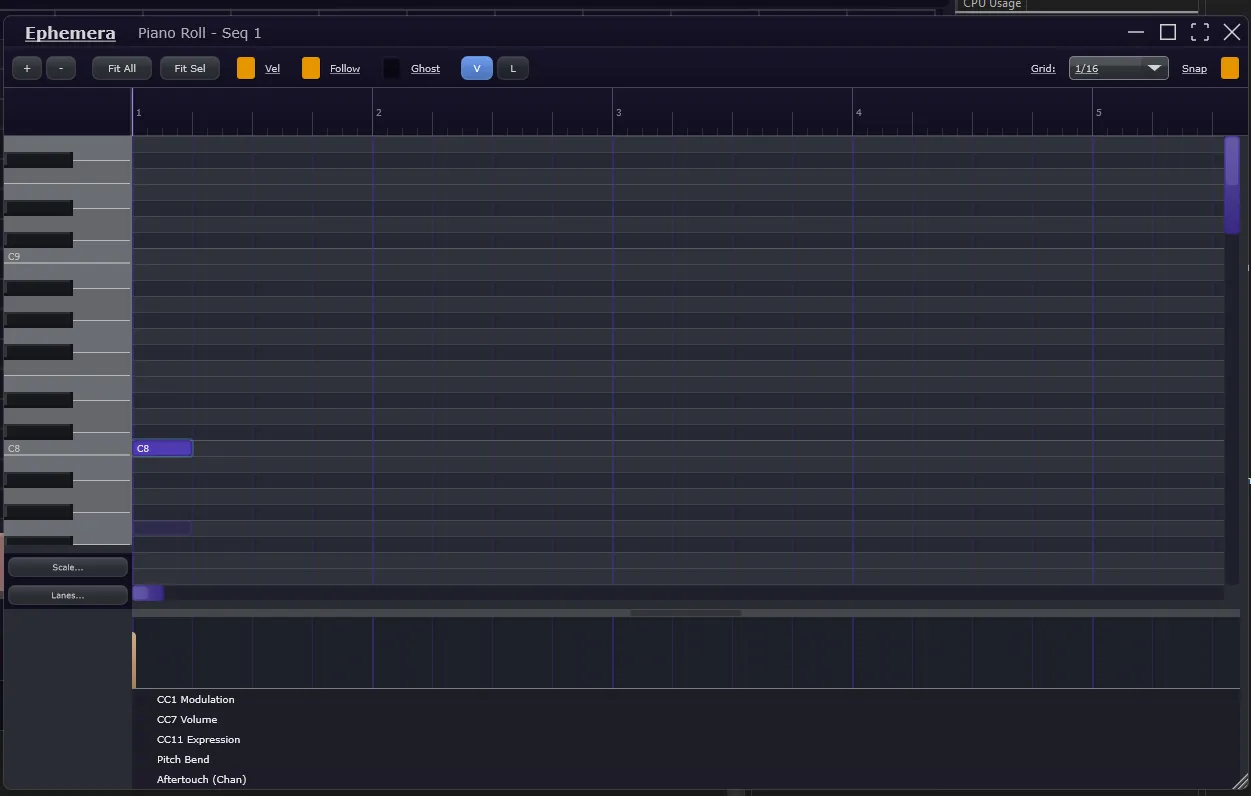
- ea43226Moved Scale and Lanes buttons to the bottom-left corner area below the piano keyboard. Created PianoRollScaleSelector component following the same dropdown menu pattern as PianoRollLanesSelector, providing scale snap configuration through a popup menu with enable/disable toggle, root note selection, scale type selection organized into sections (common scales, modes, other scales), and a 'Conform All Notes to Scale' action. The button dynamically updates its text to show the current scale (e.g., 'C Maj') when enabled. Removed scale controls from PianoRollControlBar to free up space in the top toolbar. Repositioned both Scale and Lanes buttons to occupy the previously unused corner area to the left of the automation lanes (CC Modulation, Volume, Expression, Pitch Bend, Aftertouch). Adjusted keyboard bounds to extend down and align with the horizontal scrollbar level.
- dd0752cAdded Scale/Chord Snap feature to piano roll for constraining notes to musical scales. Created ScaleDefinitions.h with 16 scale types (Chromatic, Major, Minor variants, modes, Pentatonic, Blues, Whole Tone, Diminished, Augmented) using bitmask representation for efficient pitch class membership testing. Implemented ScaleSnapManager to track scale snap state with root note and scale type selection, providing pitch snapping and scale membership queries. Added scale snap UI controls to PianoRollControlBar including toggle, root note dropdown (C through B), scale type dropdown, and 'Conform' button to adjust all notes to the selected scale. Integrated non-scale note highlighting in PianoRollPaintManager with subtle red tinting for out-of-scale notes and grid row highlighting for in-scale pitches. Added pitch snapping during note creation and movement in PianoRollInteractionHandler. Created PianoRollScaleSnapAction for full undo/redo support of batch scale corrections. Added 'Snap to Scale' and 'Snap All to Scale' options to the Timing submenu in the context menu. Default scale is Chromatic to keep note colors neutral until user selects a specific scale.
- 27a0de2Added Humanize Transform feature to piano roll for natural-sounding note variations. Created HumanizeTransformDialog with configurable timing variance (±0-100ms), velocity variance (±0-50%), and distribution type selection (Gaussian for natural clustering or Uniform for even spread). Implemented PianoRollHumanizeAction undo class to support full undo/redo of batch humanization operations. Added menu item to Timing submenu in piano roll context menu. The timing variance converts milliseconds to beats based on current BPM, and uses Box-Muller transform for Gaussian distribution. Integrated with existing context menu handler pattern and wired up pianoRollComponent reference for undo action creation.
- d068a73Added articulation map editor dialog with full CRUD functionality for creating and editing keyswitch maps. The dialog provides map property fields (name, category, description), keyswitch configuration (octave, channel, velocity, release mode), and an editable table for articulation definitions with name, short name, keyswitch note, and color columns. Integrated factory preset template loading from ArticulationMapManager for common orchestral library configurations (Basic Strings, Basic Brass, Basic Woodwinds, Spitfire Pattern). Wired up the 'Configure Map...' context menu option in ArticulationLane to launch the editor dialog via showArticulationMapEditor() helper function, with callback handling to apply the resulting map to the lane and playback engine. Added XML serialization to TrackArticulationData for persisting articulation events with toXml() and fromXml() methods using existing XMLTags constants. This completes Phase 4 (Import/Export & Presets) of the Articulation Maps feature.
- UI / UX
- 07eb4a3Fixed undo/redo keyboard shortcuts for articulation lane in piano roll window. Added Ctrl+Z, Ctrl+Shift+Z, and Ctrl+Y handling to PianoRollWindow::keyPressed() to enable undo/redo operations when the piano roll window has focus. The issue was that the piano roll is a separate DocumentWindow from the main editor, so keyboard events were not reaching the main editor's EditorKeyboardShortcutHandler. The fix routes undo/redo shortcuts directly to the processor's shared UndoManager, ensuring articulation event actions (create, delete, move, resize, change articulation, lock) can be undone and redone properly.
- 81ecce4Completed Articulation Maps Phase 5: Polish & Integration. Added undo/redo support for all articulation lane operations via new ArticulationEventAction class supporting Create, Delete, Move, Resize, ChangeArticulation, and SetLocked action types. Implemented clipboard operations with copy (Ctrl+C), cut (Ctrl+X), and paste (Ctrl+V) keyboard shortcuts plus context menu items, preserving relative timing between multiple copied regions. Added 'Auto-populate from Notes' feature that creates articulation regions matching piano roll note boundaries with full undo support. Integrated context-sensitive tooltips via SettableTooltipClient showing relevant hints for resize bar, header, event edges, event bodies, and empty areas. This completes all 5 phases of the Articulation Maps feature
- 37f34fdAdded undo/redo support for articulation lane operations. Created ArticulationEventAction class following the existing PianoRollNoteAction pattern, supporting Create, Delete, Move, Resize, ChangeArticulation, and SetLocked action types. Integrated undo actions into ArticulationLane for all editing operations: drawing new regions registers create actions, dragging events registers move/resize actions, delete key and context menu delete register delete actions, and articulation/lock changes from the context menu register their respective actions. Added getUndoManager() helper to ArticulationLane to access the processor's UndoManager. This completes the first item of Phase 5 (Polish & Integration) of the Articulation Maps feature.
- Day 304 · 5 commits
- Audio engine
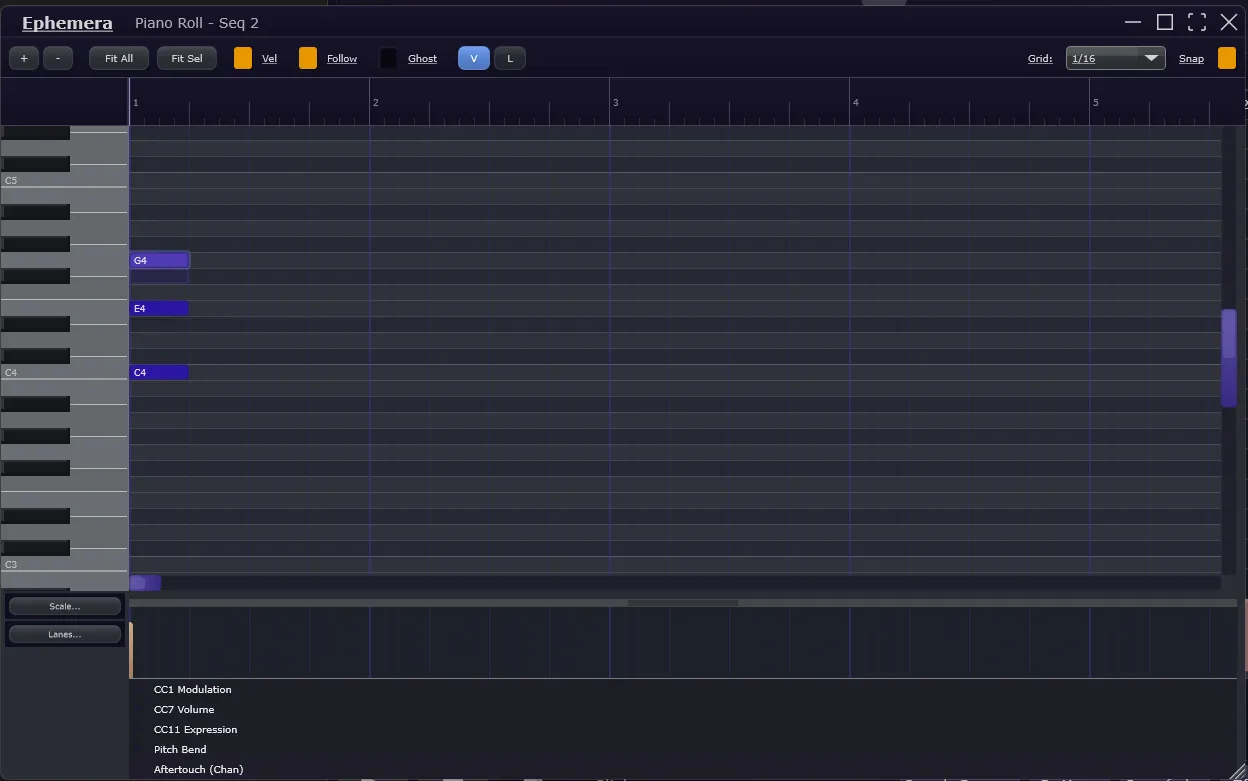
- 27918c3Added Time Stretch/Compress feature to piano roll for scaling note timing by percentage. Created TimeStretchTransformDialog with configurable stretch percentage (10-400%), anchor point selection (start, center, end of selection), and option to scale note durations proportionally. Implemented PianoRollTimeStretchAction for full undo/redo support. Added 'Time Stretch/Compress...' menu item to the Timing submenu in the piano roll context menu. The algorithm calculates new note positions relative to the chosen anchor point, maintaining relative timing relationships between notes while allowing both compression (faster playback) and expansion (slower playback) of selected note sequences.
- UI / UX
- b86eb7bUpdated PianoRollArpeggiatorSelector to use the same visual pattern as the Scale and Lanes selector buttons. Replaced custom paint-based button rendering with a juce::TextButton child component, matching the established pattern used by PianoRollScaleSelector and PianoRollLanesSelector. The component now draws the same time-of-day themed background and uses identical reduced(4) padding for the button bounds, ensuring visual consistency across all three bottom-left corner controls.
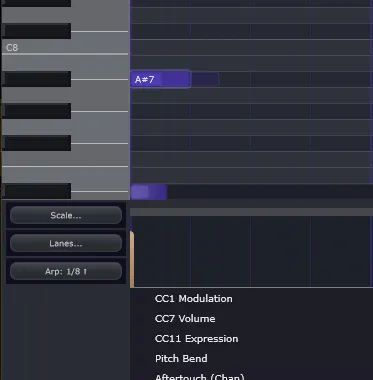
- 3bfd01dAdded Arpeggiator button to piano roll bottom-left corner below the Lanes button. Created PianoRollArpeggiatorSelector component that provides a two-action interface: right-click opens a settings menu to configure pattern (Up, Down, Up-Down, Down-Up, Random, As Played), rate (1/1 through 1/32 plus triplets), gate length (25-100%), octave range (1-4), and repeat octaves toggle; left-click applies the configured arpeggiation to selected notes. Added applyArpeggiation method to BasePianoRollComponent that extracts the arpeggiation logic from the context menu handler into a reusable public method. The button displays current settings (e.g., 'Arp: 1/8 ↑') and includes a Customize... option that opens the full ArpeggiateTransformDialog for detailed configuration. Also exposed getSelectionManager() as a public method on BasePianoRollComponent for external component access.
- cb963fcAdded Arpeggiate Transform feature to piano roll for converting chord notes into arpeggios. Created ArpeggiateTransformDialog with configurable pattern (up, down, up-down, down-up, random, as-played), rate (1/1 through 1/32 plus triplets), gate length (5-100%), and octave range (1-4 octaves). Implemented PianoRollArpeggiateAction for full undo/redo support of the destructive chord-to-arpeggio conversion. Added 'Arpeggiate...' menu item to the Timing submenu in the piano roll context menu, accessible when 2+ notes are selected. The arpeggiator sorts pitches based on the selected pattern, builds sequences that extend across multiple octaves when configured, and creates evenly-spaced notes at the specified rate starting from the earliest selected note position.
- Other
- 8c7e845Added /01 to Projucer
- Day 305 · 6 commits
- Audio engine
- df5e9b6Implemented sample-accurate timing synchronization between sequencer and piano roll. Added StepChangeInfo struct to MusicalTimeManager that calculates the exact sample offset where step boundaries occur within audio blocks, replacing the previous block-boundary quantization. Modified SequencerBlockProcessor to use this precise offset when triggering samples, combining it with user nudge values for accurate timing. Updated piano roll timing in PluginProcessor to use getBeatAtBlockStart() and getCurrentBeat() for the exact same timing window as the sequencer, eliminating clock drift between the two systems. These changes reduce maximum timing error from ~5.8ms (half a 512-sample block) to sub-millisecond precision, with further improvements expected in release builds. This commit needs more validation/testing but is an improvement currently
- 3efe492Fixed three piano roll playback and sync issues. Corrected first-beat note triggering by adding a 'missed start' condition that catches notes at beat 0 when processBlock starts at a tiny offset. Synchronized piano roll timing with the sample grid by switching from host-time-based calculations to use MusicalTimeManager's getCurrentBeat(), eliminating clock drift between the two systems. Fixed scrollbar bounds calculation that was accumulating padding indefinitely by recalculating maxNoteEndTime from scratch instead of starting from the already-padded totalBeats value.
- 8db1eeaAdded piano roll keyboard key highlighting feature that illuminates piano keys during note interaction. Created PianoRollKeyHighlightManager to track highlighted keys from three sources: user interaction (cyan), external MIDI input (green), and playback (orange). Modified PianoKeyboardComponent to render highlights with velocity-based intensity and edge glow effects. Integrated highlighting with note preview/audition system for immediate feedback when placing or dragging notes, and with playback state tracking to show keys lighting up during sequencer playback. Added public API methods for external MIDI input highlighting support.
- 8c38569Added Legato/Overlap Tools feature to piano roll for connecting notes and fixing overlaps. Created LegatoTransformDialog with three modes (Legato, Fix Overlaps, Detect Only), four overlap fix strategies (Trim First, Trim Second, Merge, Split), and configurable gap threshold and legato overlap settings. Implemented PianoRollLegatoAction for full undo/redo support. Added 'Legato/Overlap...' menu item to the Timing submenu in the piano roll context menu. Includes quick presets (Tight, Smooth, Clean) and scope options for applying to selected notes, same pitch, or all notes.
- UI / UX
- 7f10507Added Strum Transform feature to piano roll for simulating guitar-like strumming on chord notes. Created StrumTransformDialog with configurable direction (low-to-high, high-to-low, alternating), strum time (5-200ms), and velocity curves (flat, fade in/out, accent, random). Implemented PianoRollStrumAction for full undo/redo support. Added 'Strum...' menu item to the Timing submenu in the piano roll context menu, accessible when 2+ notes are selected. Includes quick presets (Gentle, Standard, Aggressive) for common strum styles.
- 61e0758Added Retrograde Transform feature to piano roll for reversing note order in time. Created RetrogradeTransformDialog with configurable option to also reverse note durations. Implemented PianoRollRetrogradeAction for full undo/redo support. Added 'Retrograde...' menu item to the Timing submenu in the piano roll context menu, accessible when 2+ notes are selected. The algorithm sorts notes by start time, then swaps their positions so the first note takes the last note's position and vice versa, implementing the classical composition technique of melodic retrograde.
- Day 306 · 2 commits
- Audio engine
- 43b7683Fixed sample-accurate synchronization between sequencer and grid sample playback Resolved timing desync that occurred when quickly stopping and restarting transport, where grid samples would continue from their previous position instead of restarting from the beginning like sequencer samples. Added isFirstTransportStartBlock detection using a local tracking variable lastKnownPrevStep_ in TrackChannel to independently detect the first block of transport start, since the stepHasChanged flag is consumed by SequencerBlockProcessor before TrackChannel processes. Added position reset logic in Attacking and Playing states that triggers only on the first transport start block, handling the race condition where stop/start happens so fast the sample never transitions through Idle or FadingOut states. The FadingOut state already had correct reset logic for samples caught mid-fade during restart. This ensures both sequencer-triggered samples and condition-based grid samples start from position 0 simultaneously when transport begins, maintaining tight synchronization regardless of how quickly the user stops and restarts playback.
- UI / UX
- 9a4057fModernized sequencer grid visuals with harmonious time-of-day gradients and depth effects across all elements. Added comprehensive sequencer color system to DesignTokens including functions for inactive cell tints, playhead glow/trail, track header gradients, grid line emphasis, selection overlays, mute/solo button orbs, and waveform preview colors. Enhanced step cells with subtle inactive tinting matching parameter lanes. Implemented playhead with radial glow, gradient trail fading over 2 previous steps, and soft edge bloom effects. Upgraded track headers with vertical gradients, depth shadows, and state-aware coloring for selection/hover. Improved grid lines with measure/beat emphasis hierarchy using varying opacity and thickness. Added gradient-based selection highlighting with soft feathered edges. Transformed mute/solo buttons into glowing orbs when active with radial gradients and outer glow rings. All enhancements respect dark theme mode with appropriate fallbacks.